WebReports Home
WebReports
Web Reports Overview
Start here to explore your library's live Polaris reports.
Each section offers tools to help staff review activity, settings, collections, and circulation—all using real-time data from the production database.
Logging In
When launching a report, you'll be prompted to enter your Polaris username (typically first initial + last name) and password.
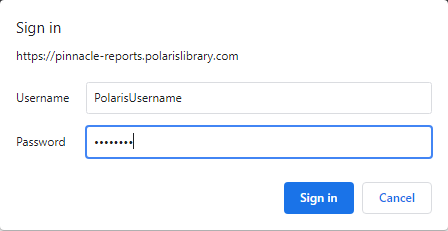
If you run into trouble, contact Pinnacle staff for assistance.
Getting Started
- Use the Navigation Menu to quickly browse reports by topic: Circulation, Collection, Tech Services, and ILS Settings.
- Each report includes a brief description, a preview image, and a “Run Report” button that opens the live report in a new tab.
- Some reports offer additional instructions or SQL queries—just expand the “Additional Information” section for details.
- You can use the Search bar above the report list to filter by report name or keyword.